

What is Bagisto?
Bagisto is an open-source Laravel-based e-commerce platform that provides a flexible and feature-rich solution for building online stores. It offers multi-channel, multi-currency, and multi-locale support out of the box.Bagisto with PayGlocal
Integrating PayGlocal with Bagisto enables merchants to accept cross-border payments through international debit/credit cards and other payment methods. The PayGlocal payment gateway is built into Bagisto, requiring only configuration of your merchant credentials.Before following the steps below, ensure you have a PayGlocal merchant account. Contact us to create one.
Prerequisites
- An active Bagisto installation (v2.x recommended)
- Admin access to your Bagisto dashboard
- PayGlocal merchant credentials from your PayGlocal dashboard
Configuration Steps
Follow these steps to enable PayGlocal payments on your Bagisto store.Step 1: Navigate to Configure
Log in to your Bagisto admin panel and click Configure from the left sidebar.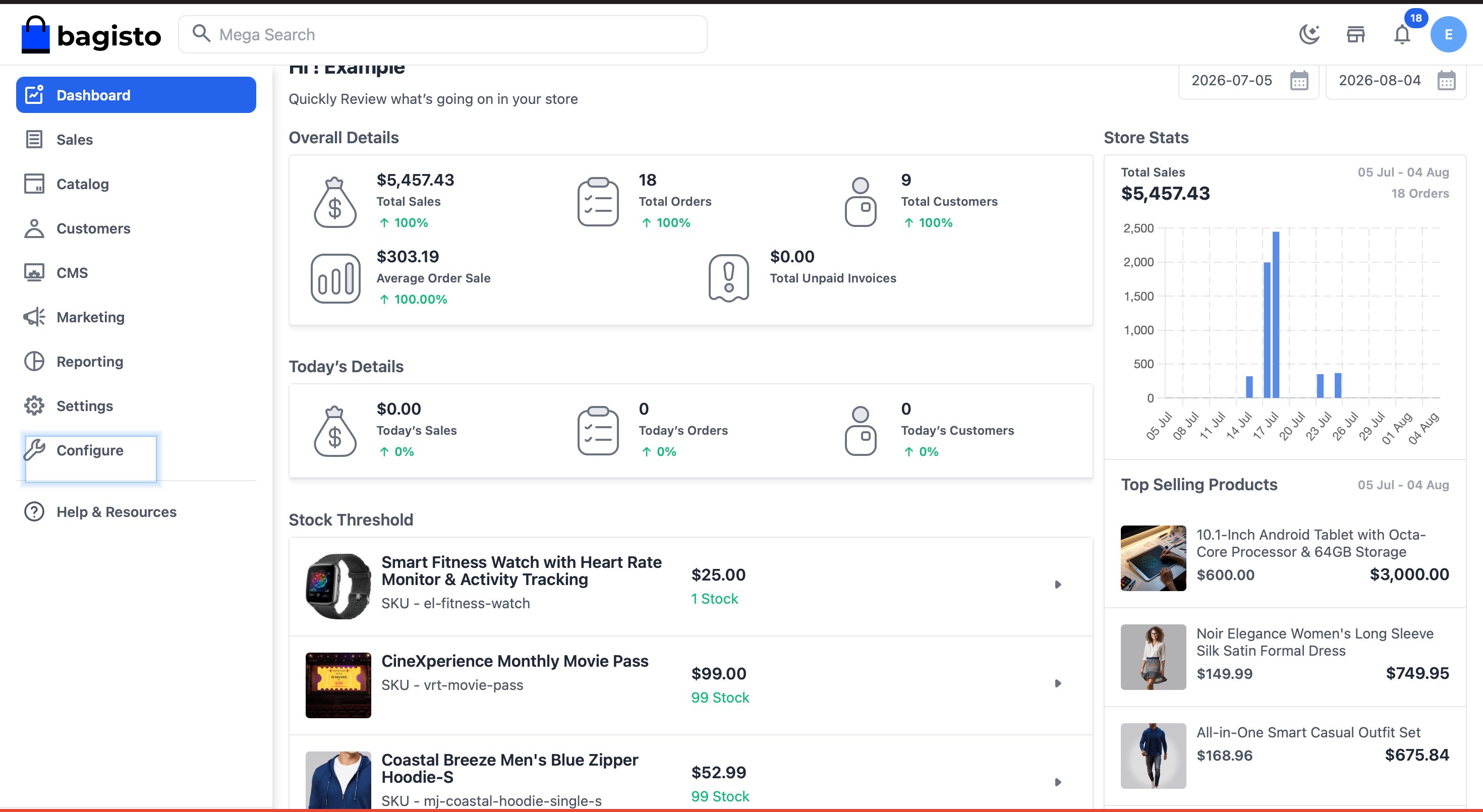
Step 2: Open Payment Methods
Scroll down to the Sales section and click on Payment Methods.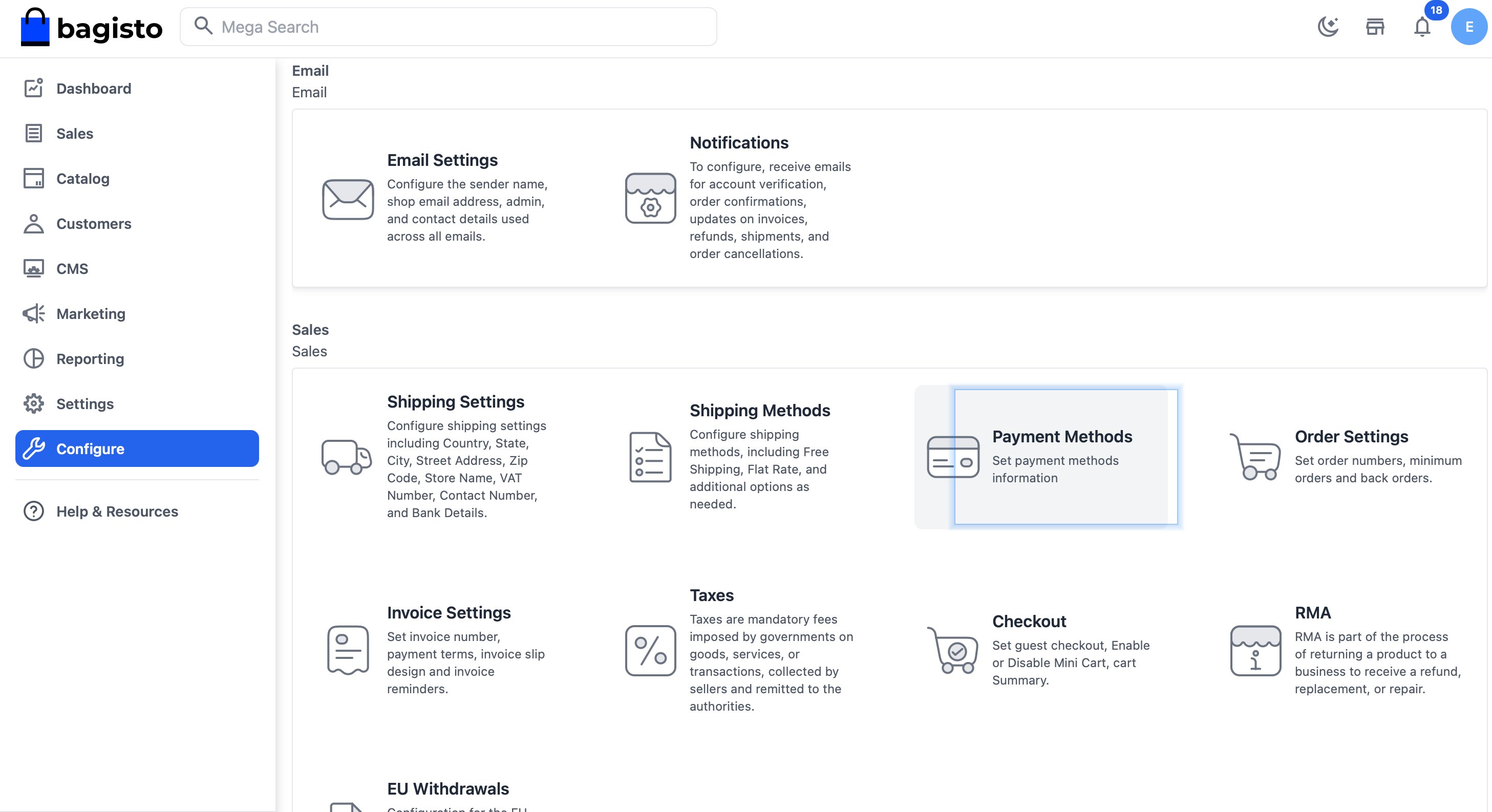
Step 3: Configure PayGlocal
In the Payment Methods page, locate PayGlocal and configure the following:- Toggle the Status switch to enable PayGlocal
- Fill in your merchant credentials (see Field Reference below)
- Click Save Configuration in the top-right corner
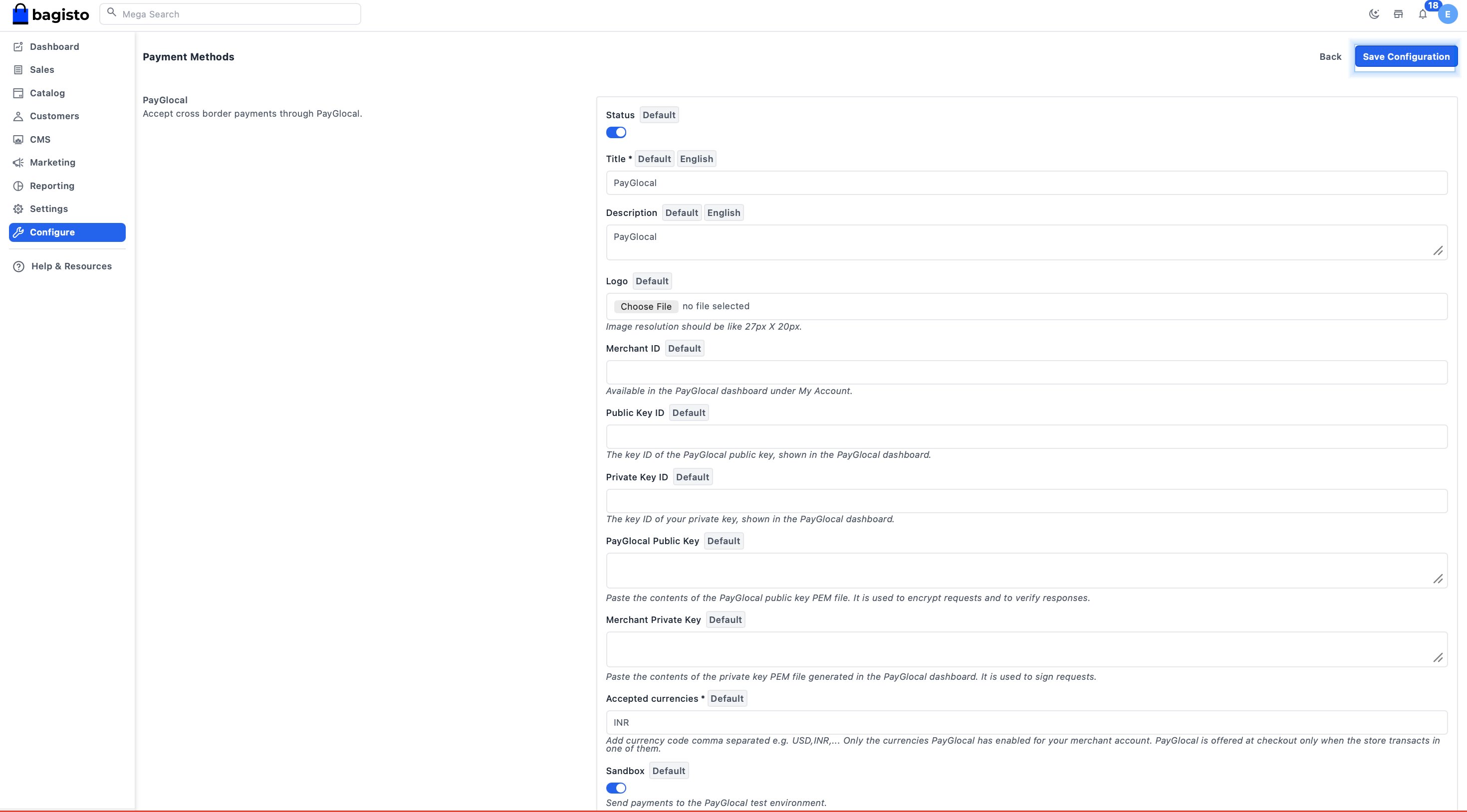
Field Reference
For details on fetching your Merchant ID, keys, and PEM files, refer to the Key Management section.
Go Live
Before accepting real customer payments:- Ensure Sandbox mode is turned off in the PayGlocal configuration
- Verify all credentials are from your production PayGlocal account
- Test a transaction on your storefront to confirm the integration is working
Setup Successful - After following the steps above, your Bagisto store is ready to accept cross-border payments from customers using PayGlocal.